Knowledge assistants
Research, consolidate and make company knowledge available.

Studio connects models, agents, company knowledge, applications and compute infrastructure into one controllable environment. Here you define which AI handles which task and which knowledge it may access. You also set which tools it can use and when a person has to approve.
In brief: Studio answers the question “Who may do what, with which model, on which data – and who approves?”. Studio, Agents and parts of Factory run in our own development and operating environment and are continuously extended. Further operating models, multiple nodes and private and local installations will follow step by step. Which building blocks suit your business depends on the use case, infrastructure, data protection and interfaces. Publicly, we show the operating principles, not security-critical details.
Companies gradually adopt different models, assistants, automations and data sources. Without shared control, you get isolated solutions, inconsistent permissions and unnecessary costs. You also get workflows that nobody can trace afterwards.
Studio adds a shared technical layer underneath: models, agents, knowledge, tools, infrastructure and governance are not run side by side but connected. That is why Studio is neither another chat nor a collection of automations. It is the control layer of the Swiss AI Platform.
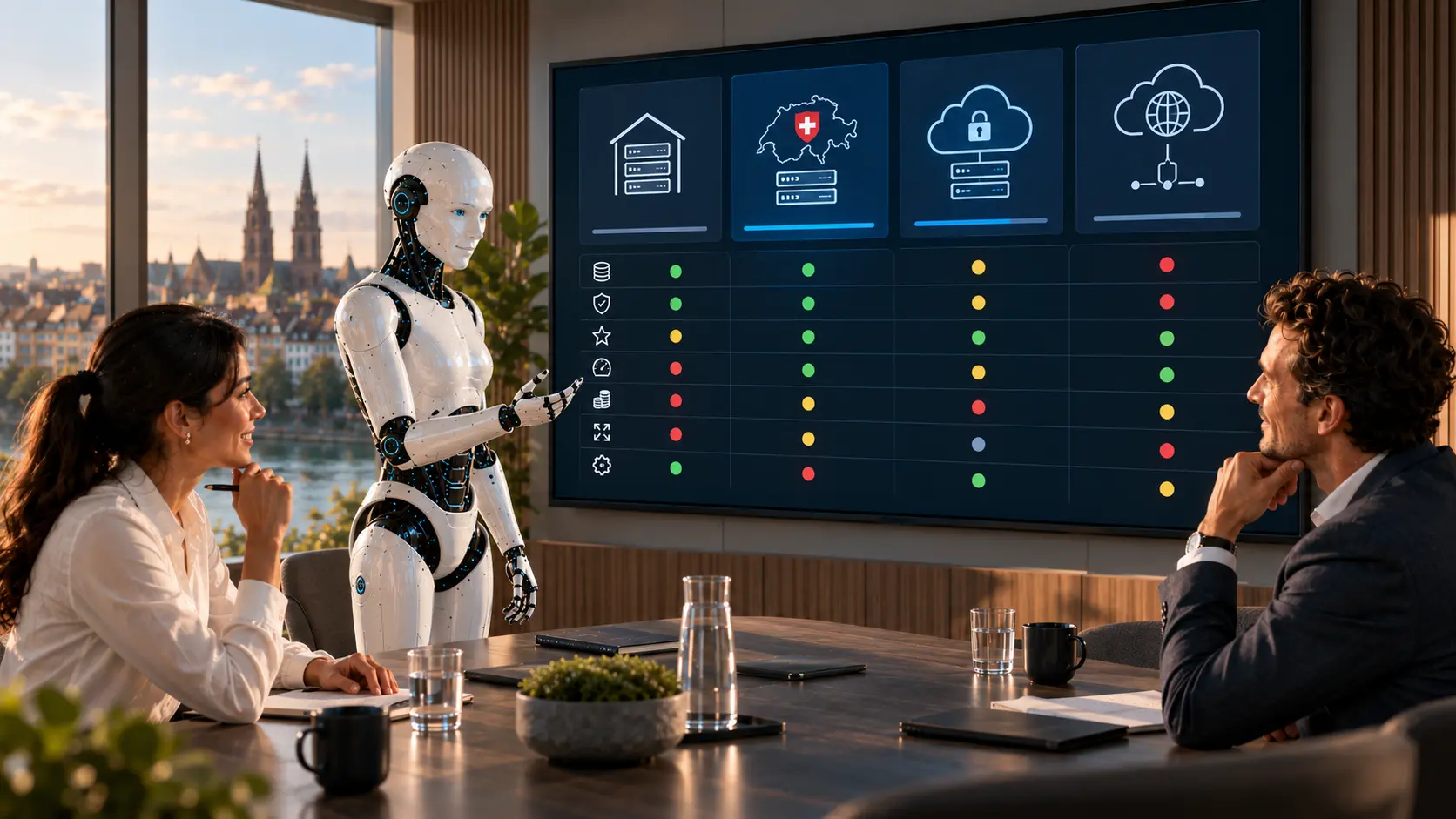
Studio decouples the business process from any single model. It defines which model is intended for which process and under which conditions it may be used. This way, the architecture does not depend on one provider, one model or one leap in technology.
In Studio, an agent gets a clear framework: task, knowledge, model, tools, rules, approval, result. It can research, analyse documents, fetch data from an ERP, prepare a case or trigger a defined automation.
The other half is what matters: what an agent may not do is defined just as clearly as what it may do. Actions outside the verified scope are to be blocked and logged.

AI only becomes useful once it knows the context of your business. Studio connects agents and models with the sources approved for each task – by role and context, not across the board.
They all run on the same controlled infrastructure. On top of that come custom applications for individual processes, industries or business units.
Research, consolidate and make company knowledge available.
Recognise, classify, analyse and process documents.
Monitor and prepare workflows and carry out defined steps.
Prepare information from internal and external sources in a structured way.
Handle enquiries, provide information, prepare replies.
Condense data and developments for decision-making.
A single model rarely solves complex tasks. Studio lets several specialised building blocks work together – individual functions become controlled workflows.
An email, a document or a schedule starts the process.
The agent fetches the information approved for its task.
Studio assigns the right model and grants access to the permitted systems.
A second agent checks the result before it moves on.
Where necessary, a person decides – only then is the action triggered.
The result goes into the target system, and the whole process stays documented.
Not every AI gets access to every system. Studio defines which agent, which tool, for which task, with which rights.
Not every process should run fully on its own. Studio allows defined control and approval points: an agent analyses and prepares, and the final action only happens once a responsible person approves it.
This applies especially to payments, customer communication, contract and document processes, critical data changes and actions in third-party systems. The AI does the work, people decide.

Professional AI does not just mean powerful models but clear responsibilities. This way, governance is not added afterwards but is part of the architecture.
| Question | Defined as |
|---|---|
| Who may use which agent? | Role and permission |
| Which model may process which data? | Data class and model rule |
| Which tools may an agent use? | Tool approval per agent |
| Which actions need approval? | Approval point in the workflow |
| Which processes must be logged? | Logging rule |
The more models and agents are in use, the more important an overview becomes. What is visible depends on the specific implementation.
The architecture can be adapted to data protection, speed, cost and the needs of your business. Additional models, agents, knowledge sources and compute nodes can be added without building separate infrastructure for every new use case.
Use external AI and infrastructure services.
Dedicated environment for higher requirements for control and data protection.
View detailsAI infrastructure on your own premises.
View detailsLocal models combined with selectively used external services.
View detailsStudio is part of the Swiss AI Platform. Together, they form end-to-end infrastructure – from computing power through the agents to central control.
Control and governance: configuration, orchestration, models, knowledge, permissions, operation and approvals.
Execution: specialised units of work that analyse tasks and carry out defined workflows.
View detailsComputing power and runtime: models, compute nodes and the technical foundation for operation.
View detailsStudio pays off where several AI applications are being built and need to fit together. That means when different models are in use, internal knowledge has to be integrated securely, agents access company systems and workflows are automated.
It also pays off where human approvals are needed and private or hybrid operating models play a role. The same applies where the environment must stay controllable and expandable for years. For a single, self-contained application, the effort is too great – a product or a standalone solution is the better route.

Studio is part of the Swiss AI Platform and runs with our products and custom solutions. Whether and how clients work directly in Studio depends on the project.
Yes, that is the purpose of the operations view: tasks, results, model used, costs – all traceable.
Studio controls and monitors, Agents execute tasks, Factory provides models and computing power. Three layers, three responsibilities.
That depends on the use case, existing infrastructure, data protection and the interfaces required. This question comes at the start of architecture consulting, not at the end.
Publicly, we show the principle, layers and data flow at a high level. Internal topology, routing rules, security rules and version states stay internal.
We state the maturity of each building block openly. Phrases such as “is designed to” describe the architecture, not a client deployment. Studio, Agents and parts of Factory run in our own development and operating environment and are continuously extended. Further operating models, multiple nodes and private and local installations will follow step by step.
We do not start with a single model or a single agent. We look at the process, the data, your existing systems and the requirements for control and operation. From this, we build an architecture that fits your business.